
Zoom
Zoom iQ6 XY Stereo Microphone


Omni Capital Finance Calculator
Choose options
Omni Capital Finance Calculator
Omni Capital Finance Calculator
Product overview
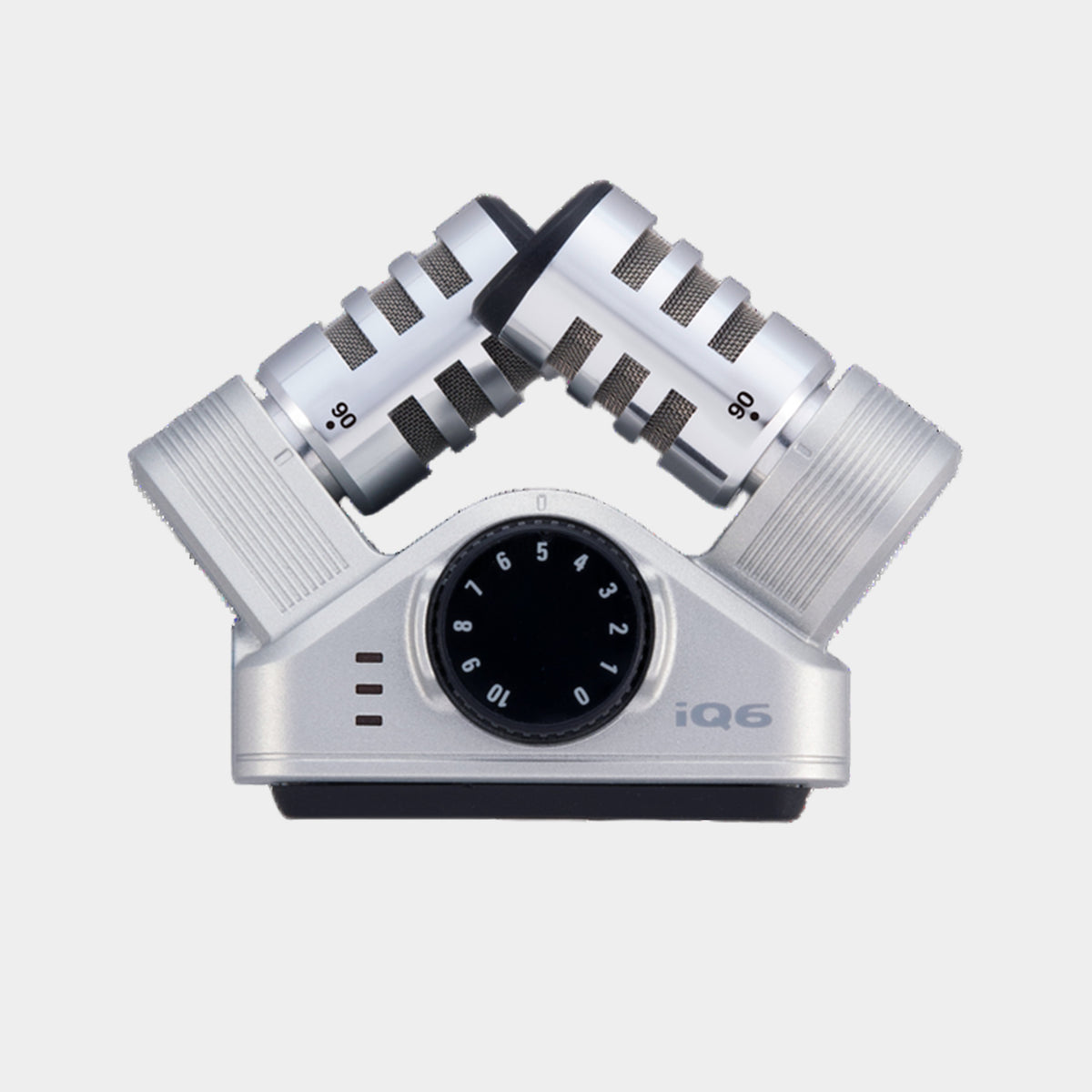
The Zoom iQ6 adds an adjustable stereo microphone pair to a compatible Lightning-equipped iPhone or iPad. It is a compact way to record rehearsals, acoustic performances, interviews and everyday sound while keeping the phone or tablet at the centre of the workflow. The built-in device microphone may be convenient, but the iQ6 gives you a more deliberate stereo arrangement and a physical recording-level control. For musicians and mobile creators, that makes it easier to think about microphone position and sound quality without carrying a separate recorder for every short session.
Adjustable XY microphones shape the stereo view
The microphone pair can be set to 90 or 120 degrees. A narrower angle can provide a more focused view of a compact subject, while the wider setting can convey a broader performance or more of the surrounding space. The choice works together with placement rather than replacing it. A recorder close to an acoustic guitar hears a different balance from one across the room, regardless of the angle. Try a short passage at both settings and listen on headphones. The most useful image is the one that supports the subject without collecting unnecessary distractions.
Put the device where it sounds good
A phone is often positioned for its screen or camera rather than for sound. With the iQ6, take time to find a position that serves the microphones. For an ensemble, move until the instruments sound balanced together. For an interview, keep the microphone close enough that voices remain prominent over room reflections. Use a stable support when possible and avoid handling the device during quiet material. These decisions can make a larger difference to the finished recording than selecting the highest available setting in the app, because they determine the signal that is captured in the first place.
Physical level control encourages a clear setup
The iQ6 provides a microphone gain control and level indication, helping you establish a sensible recording level before the take. It uses a conventional recording workflow, so allow headroom for a louder phrase or stronger musical passage. Ask the performer to demonstrate the loudest likely section rather than setting the level from a quiet introduction. The microphones accommodate sound pressure levels up to 130dB SPL, but a strong source still needs thoughtful placement and level management. Headphone listening helps reveal distortion, wind and unwanted movement before they affect a complete recording.
Compatibility is part of the buying decision
The iQ6 uses Apple's Lightning connection. It is intended for compatible Lightning iPhone and iPad models, not direct connection to a USB-C iPhone or iPad. Recording support also depends on the application; it should not be assumed to work as an external microphone in voice-call or video-call apps. Test the exact recording or video app you intend to use, including whether it selects the external microphone correctly. This keeps the setup clear and avoids choosing the microphone based only on the phone brand rather than its connector and software requirements.
Keep capture and editing close together
The microphone is powered by the connected device, and the headphone connection supports monitoring in compatible use. Once recorded, the audio can be trimmed, levelled and combined with other material within an appropriate mobile or computer workflow. Choose the iQ6 when you use a compatible Lightning device and want an uncomplicated XY stereo microphone with adjustable width. It can help turn quick mobile recordings into more considered source material while preserving the convenience that makes a phone such a useful creative companion.
Product information
Essential details
- Weight
- 30.5 g
- Dimensions
- 61.1 mm × 30.6 mm × 53.1 mm
- Warranty
- 1 Year