
Zoom
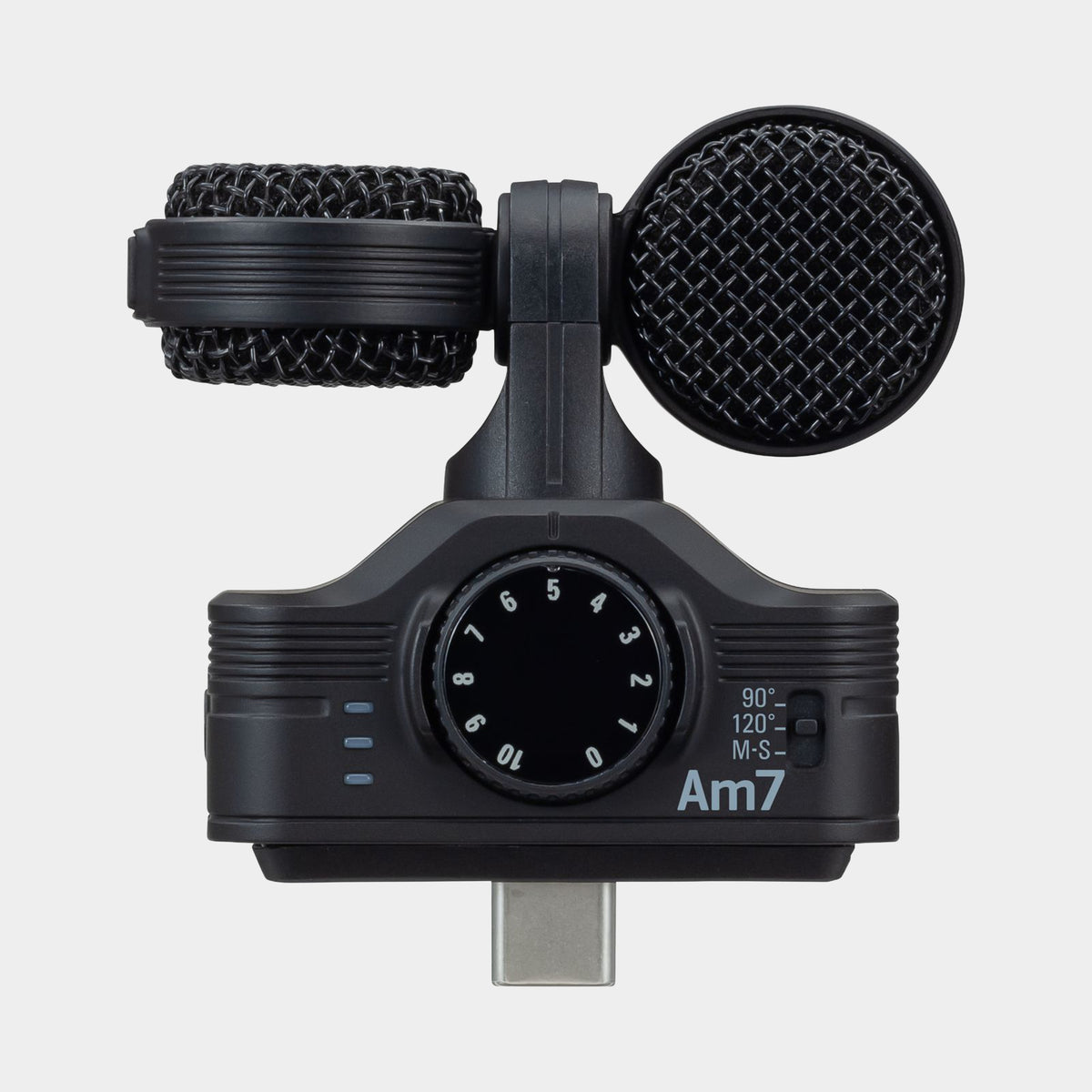
Zoom Am7 MS Stereo Microphone with USB-C plug


Omni Capital Finance Calculator
Choose options
Omni Capital Finance Calculator
Omni Capital Finance Calculator
Product overview
The Zoom Am7 turns a compatible Android phone or tablet into a more deliberate stereo recording tool. Its USB-C connection keeps the setup compact, while the microphone assembly can be oriented for the way the device is being held. It is useful for music videos, rehearsal recordings, interviews and environmental sound when carrying a separate recorder would interrupt the workflow. The appeal is not simply adding another microphone to a phone: it is gaining control over stereo perspective and microphone direction while keeping recording, reviewing and sharing within a familiar mobile device.
A microphone for the Android USB-C workflow
The Am7 is designed for compatible Android devices with USB-C. The shape of the connector alone does not make it a general-purpose USB-C microphone for every phone or tablet, and it is not the equivalent of a supported iPhone or iPad microphone connection. Check the exact device and recording application before planning an important job. A short test should confirm that the app is using the external microphone, recording both channels as intended and allowing the monitoring or file format required by the project. That preparation makes the mobile setup dependable rather than merely convenient.
Mid-side capture gives you stereo choices
The microphone uses a mid-side arrangement, combining a forward-facing component with side information. Supported 90-degree and 120-degree stereo settings provide different widths, while the mid-side workflow offers further options with suitable software. A narrower image can keep attention on a compact subject; a wider image can convey more of the surrounding performance or environment. The right choice depends on the scene. In a reflective room, extra width can reveal distractions as well as atmosphere, so listen before deciding that the broadest setting is the most useful.
Keep the microphone facing the subject
The rotating microphone assembly helps accommodate different device orientations, including video shooting where the phone is held horizontally. This matters because the screen's most convenient position is not always the microphone's best orientation. Set the capsule direction deliberately and check the left-right image with a short recording. For a performance, try to keep the phone stable and avoid touching the microphone assembly during the take. A small support can improve both picture stability and sound by reducing the movement transmitted directly through the device.
Listen to the recording, not only the room
The headphone connection provides a way to assess the microphone's perspective in supported use. What sounds balanced while standing in a room may be less clear from the phone's actual position. Move closer for a stronger direct sound, or farther away when the space itself is part of the subject. Outdoors, wind protection becomes important because moving air can dominate a recording even at moderate environmental levels. The Am7's 120dB SPL handling accommodates a range of sources, but microphone overload and wind remain physical limits that software cannot remove afterwards.
A compact route from capture to a finished clip
The microphone is powered by the connected device and supports 16-bit recording at 44.1kHz or 48kHz in compatible workflows. These are conventional recording formats, so establish sensible levels and leave room for louder moments. Keep the original file when editing so you can return to the source if needed. Choose the Am7 when you already work on a compatible Android device and want stereo recording to become a more intentional part of that workflow, with control over direction and width while retaining the speed of mobile creation.
Product information
Essential details
- Weight
- 31.8 g
- Dimensions
- 54.5 mm × 57.5 mm × 28.1 mm
- Warranty
- 1 Year