
Elysia
Elysia Skulpter Qube


Omni Capital Finance Calculator
Choose options
Omni Capital Finance Calculator
Omni Capital Finance Calculator
Product overview
Clean amplification, useful colour and dynamics at the recording stage
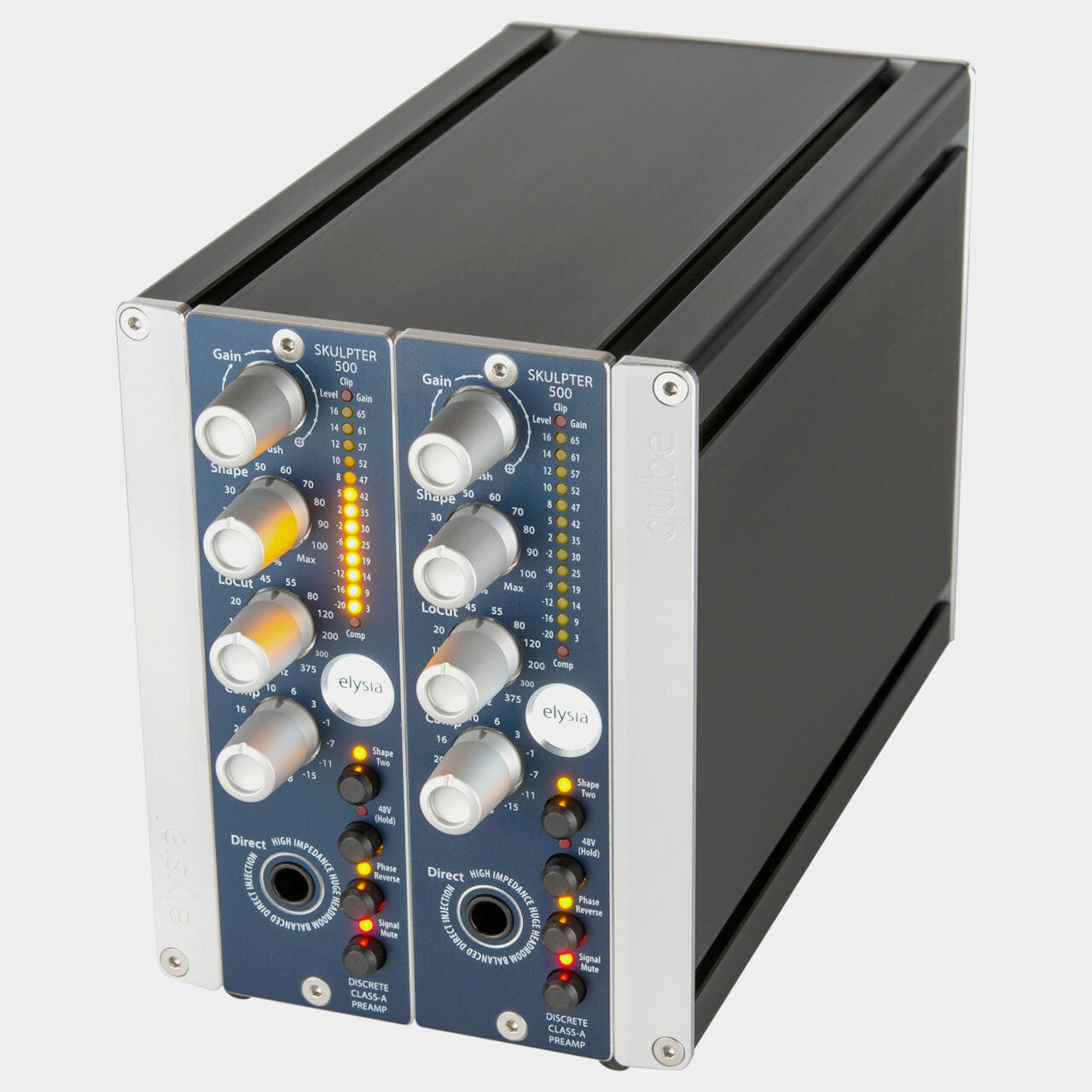
The Elysia Skulpter Qube combines a discrete Class-A microphone preamp with an instrument input, variable low-cut filtering, two sound-shaping modes and a simple compressor. It is designed to let you record a clear source or develop a more finished character before the signal reaches your converter.
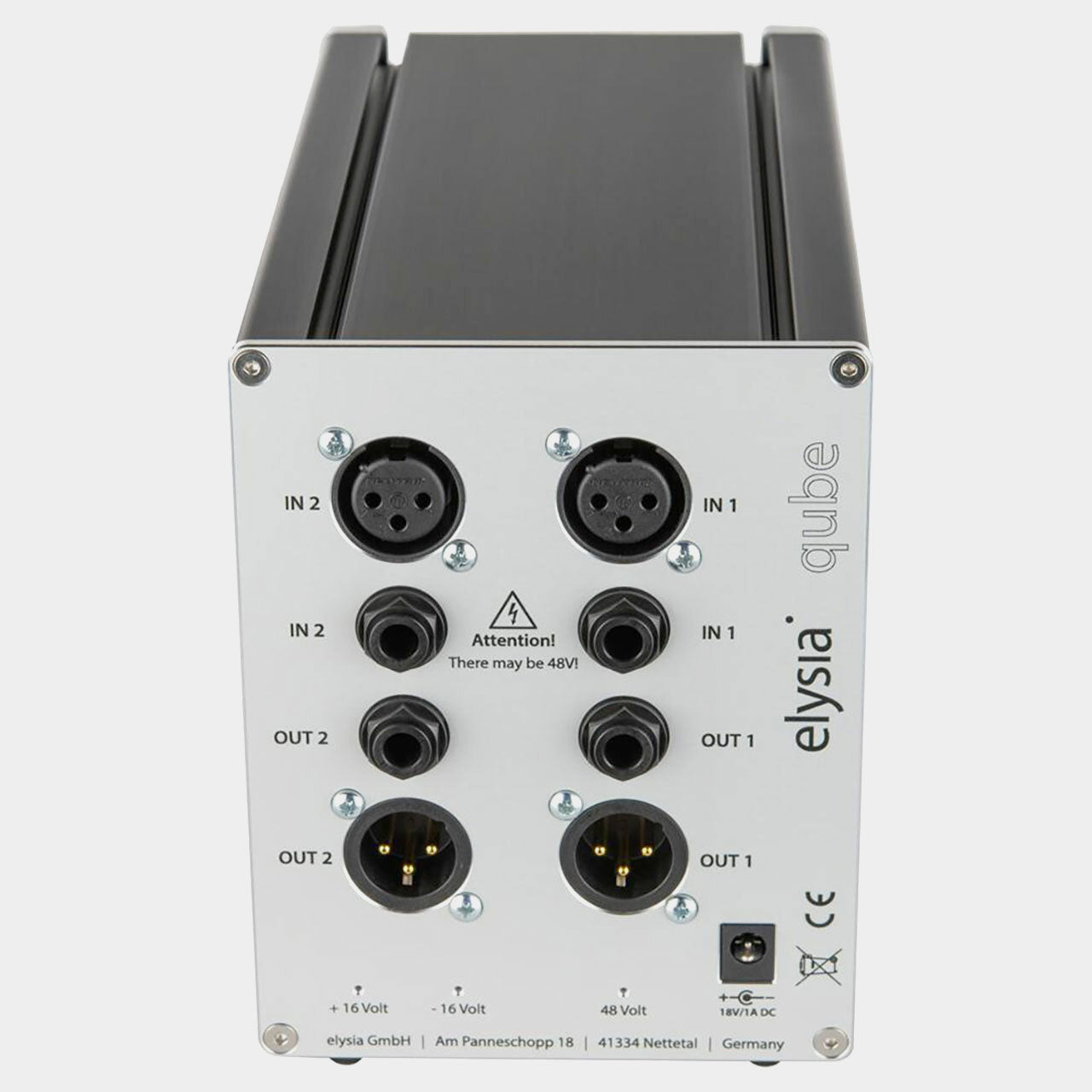
The Skulpter Qube contains two Skulpter preamp channels in a powered desktop enclosure. Each channel has its own gain, instrument input, shaping and dynamics controls, providing two recording paths without a separate 500-series chassis.
A precise starting point for the source
Skulpter uses switched resistors to set gain, controlled by a rotary encoder. Microphone and DI gain settings are stored separately, and the current gain setting is retained when the unit is powered down. This makes returning to a familiar recording setup more straightforward.
Start by choosing the microphone and position, then set gain with enough room for the loudest part of the performance. The clean preamp response gives you a reference before adding the more coloured processing. This is useful when a source already sounds right and only needs amplification.
Shape One: body and a smoother top
The Shape control blends in a combination of saturation and a tailored filter curve. Shape One adds harmonics alongside a high-frequency reduction beginning around 4 kHz. The amount of saturation also depends on input level and preamp gain.
Try it on a direct bass, a bright guitar or an instrument that needs a more substantial centre. Increase Shape until the change is clear, then bring it back to the point where the part fits. The mode's instrument focus is a starting point, rather than a restriction on which sources you can use.
Shape Two: presence for vocals and other sources
Shape Two uses the saturation stage with a different filter contour, including a presence emphasis around 4.5 kHz. It offers another way to help a source speak in a mix while developing its harmonic character.
On a vocal, compare the extra intelligibility against sibilance and edge. A little may help the performance come forward; more may suit an intentionally coloured sound. Because shaping is recorded into the signal, make that judgement with the singer's louder passages as well as a quiet soundcheck.
Low-cut filtering that follows the recording
The continuously adjustable low-cut filter ranges from 10 Hz to 375 Hz, with a 12 dB-per-octave slope. That gives you more choice than a fixed rumble switch when deciding how much low-frequency material belongs in the recording.
For a close vocal, filter enough to manage unwanted movement or excess proximity effect while preserving useful body. For guitar, listen to the lowest notes the player actually uses. Filtering is most effective when it serves the role of the part, rather than following a universal setting.
Compression with a simple control
The onboard compressor uses a fixed 3:1 ratio and soft knee, with a single control adjusting its threshold. Auto Fast adapts the attack to stronger transients, supporting straightforward level control without a panel of timing adjustments.
This can be useful for gently containing a vocal or bass as it is recorded. Start with modest reduction and listen to the beginnings and ends of phrases. If you want the performance to remain flexible for mixing, leave room for additional dynamics processing later.
A DI for more than one type of instrument
The high-impedance front input accommodates passive instruments, while its headroom also makes it useful with synths and other higher-level sources. Connecting a jack selects the DI in preference to the microphone input. Both routes benefit from the sound-shaping and dynamics facilities.
Polarity reversal, phantom power, output mute and multifunction metering support day-to-day recording. Use polarity checks when combining a DI with a microphone, and use the level and compression indication to confirm what the signal is doing as you shape it.
Two independent channels for flexible recording
Use the pair for a stereo microphone setup, two instruments, or a microphone and DI recorded together. Set corresponding controls deliberately when working with a stereo pair; the independent channels also let you choose different gain and colour for two unrelated sources. The enclosure makes this recording front end practical for sessions away from a fixed rack.
Product information
Essential details
- Warranty
- 2 Years